
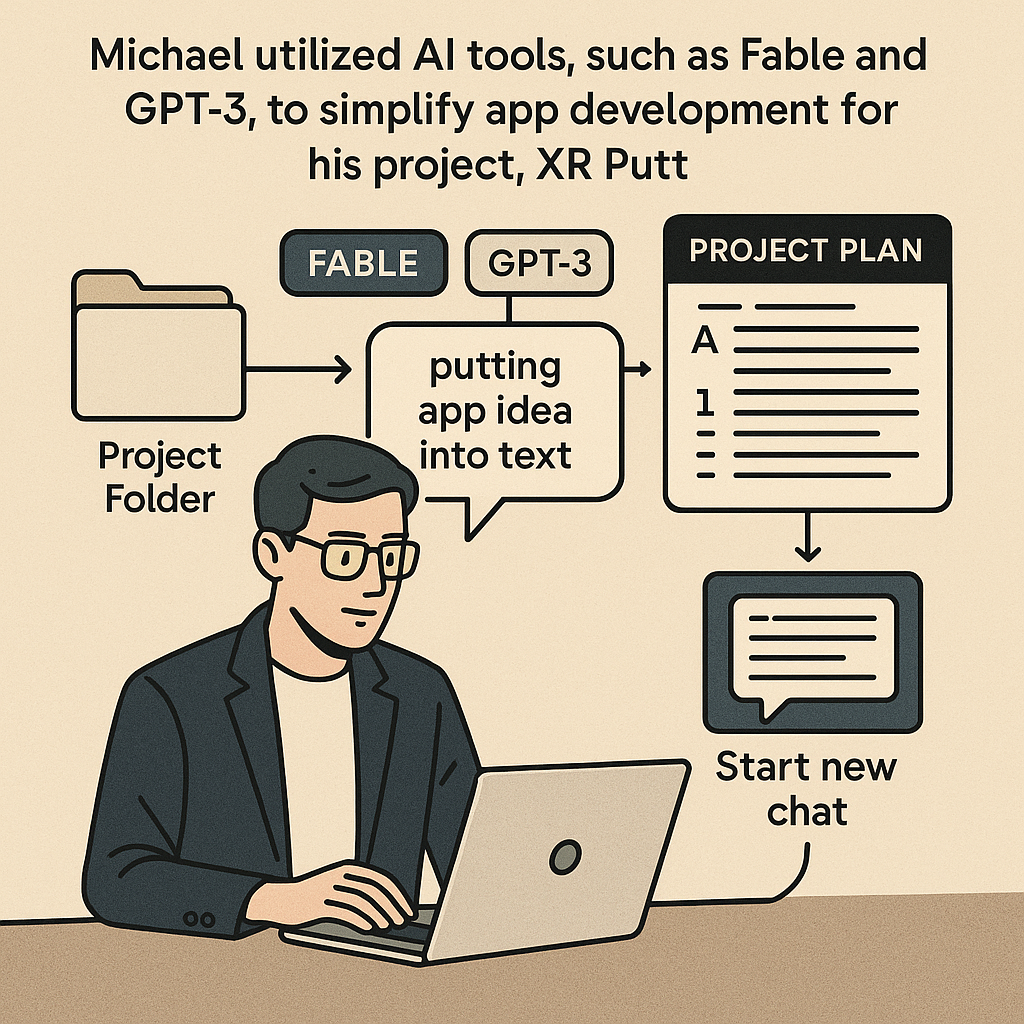
Building apps used to be the domain of individuals with formal software development training, but that's changing rapidly. Michael's journey in developing the realistic putting simulator, XR Putt, exemplifies how new tools and techniques can demystify the process. The merging of AI and development is making app creation accessible to a broader range of creators.
TL;DR
Michael used AI tools, like Fable and GPT-3, to create a realistic putting simulator app, XR Putt, for the Apple Vision Pro. His approach addresses traditional barriers in app development and makes this process accessible to anyone, regardless of coding experience.
The Problem
Your average person often feels daunted by the prospect of app development due to the steep learning curve associated with programming languages and traditional software development environments. Many aspiring developers abandon their ideas because they lack the skills or knowledge to bring them to life. This gap discourages creativity and innovation, leaving untapped potential on the table.
The Strategy
Michael's strategy revolves around using advanced AI tools to streamline the app development process. Instead of following conventional routes that can be overwhelming, he demonstrates a methodical approach using AI to guide each step. By framing his app idea clearly and allowing the AI to aid in generating a structured plan, he transforms a daunting project into an achievable goal.
How It Works (Step by Step)
Michael outlined a simplified flow for creating the XR Putt app. This is a systematic approach that anyone can replicate:
1. Create an empty folder
Start by organizing your project with an empty folder on your computer. This serves as the foundational space for all your development work.
2. Communicate your app idea
Specify your app idea to an AI tool. For example, Michael requested a realistic putting simulator for XR Putt. This step clarifies your vision and guides the AI's output.
3. Generate a detailed plan
The AI generates a project plan based on your specifications, possibly asking for clarifying questions. Save this as a markdown file within your project folder for easy reference.
4. Engage AI for project phasing
Initiate a new chat with an AI coding tool like Claude or GPT and prompt it to read your markdown plan file. This breaks the project into manageable phases, which facilitates effective project management.
5. Iterative development and testing
Begin the development process by working through each phase and testing in a simulator. This allows for real-time feedback and necessary adjustments, reducing risks associated with complex app building.
Examples from the Source
Michael's method is a testament to how AI can reshape app development:
"The amazing part is that anyone can build apps now! You just need some time and persistence. If you encounter obstacles, AI can guide you." - Michael
Michael reflected on his past challenges without a formal background in development. He emphasized that he previously struggled with iOS app tutorials. His experience showcased how tools like Fable and GPT-3 have shifted the landscape:
"I began with something simpler, an iOS app called Untappd that helps users split receipts. Successfully shipping that on the App Store motivated me to attempt a VisionOS app with more complexity." - Michael
"With the PSVR 2 controllers available for tracking, I started testing different elements like putting speed and motion, and it began to feel authentic." - Michael
Common Pitfalls
Even with accessible tools, aspiring developers often stumble in several areas:
- Vague app ideas: Failing to clearly define what you want your app to do can lead to confusion. Be as specific as possible when communicating with AI tools.
- Not organizing your project: Skipping the initial step of creating a project folder can quickly lead to a chaotic workspace, complicating your development process.
- Skipping the testing phase: Neglecting iterative testing can result in larger issues down the line. Regularly test your app as you develop.
- Overlooking the importance of structured planning: Without a detailed plan, the development process can become overwhelming. Always take the time to map out your phases.
- Giving up too early: Development can be challenging, especially for beginners. Persistence and utilizing AI for guidance are critical for success.
Action Checklist
Here’s a practical list to help you start your app development journey:
- Create an empty project folder on your computer.
- Define your app idea clearly and communicate it to an AI tool.
- Allow the AI to generate a project plan, and save it as a markdown file.
- Engage with an AI coding tool and provide it with the markdown plan.
- Break the project into phases for systematic development.
- Iterate through the development phases and utilize a simulator for testing.
- Stay persistent and don’t hesitate to seek help from AI when faced with obstacles.
- Celebrate small completions to build momentum and confidence.
Watch the Full Video
For a deep dive into the development process and Michael's insights, watch the full video: Build Apple Vision Pro Apps with Fable 5 & GPT Sol 5.6.
Want more like this?
The full archive of strategy + AI articles lives at strategythread.app, curated weekly, no fluff.