Create Your Own Serverless Video Generator App!
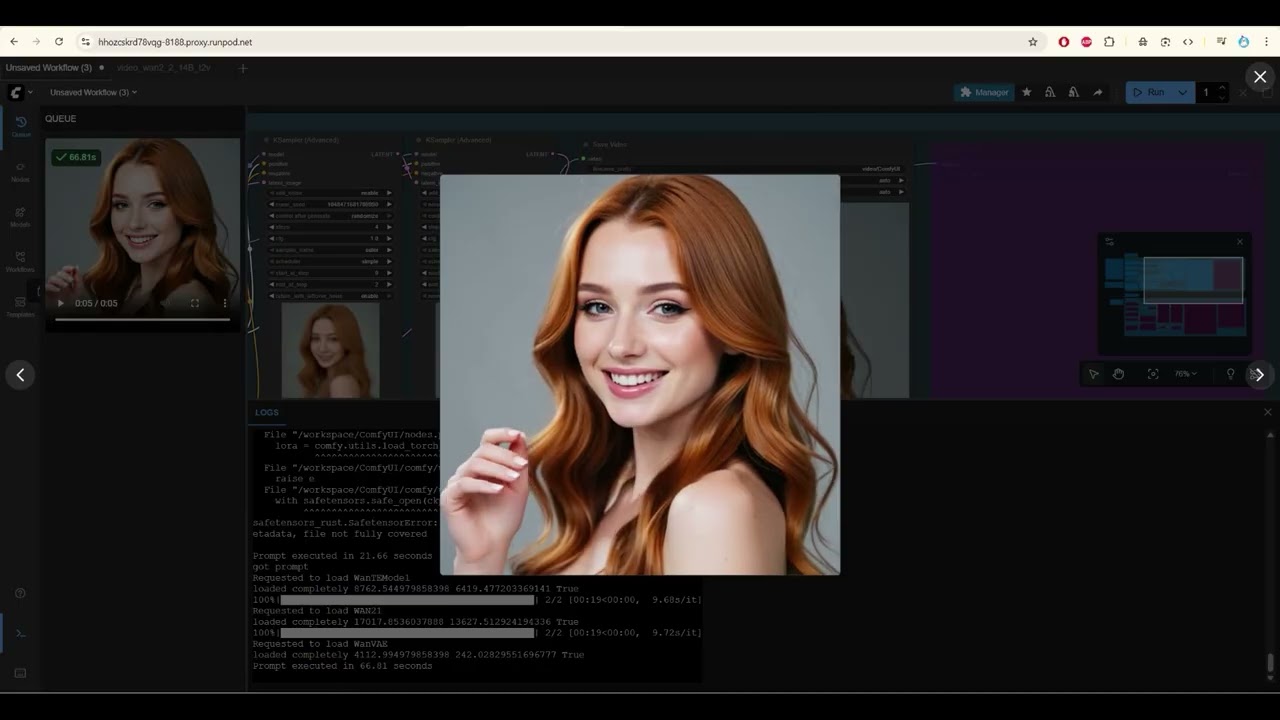
Are you ready to dive into the world of serverless architecture and video generation? In the insightful YouTube video, "Create Your Own Serverless Video Generator App! | RunPod + ComfyUI + WAN 2.2 FULL Setup," the presenter takes you through a comprehensive and user-friendly guide on building your own serverless video generator app using RunPod and Comfy UI. Let’s extract the key takeaways, valuable insights, and actionable advice from this engaging tutorial!
Key Points
- App Demonstration: The video provides a comprehensive walkthrough of creating a serverless video generator app using RunPod and Comfy UI.
- Setup Requirements: It emphasizes the importance of setting up Comfy UI, creating network storage, and downloading the necessary models to ensure proper functionality.
- Step-by-Step Guidance: The presenter outlines the steps involving command line operations in Jupyter Lab, model downloads, and configuring the UI for video generation.
Insights
- Simplification of Processes: The guide simplifies complex processes by offering pre-written scripts and codes, minimizing the setup burden for viewers.
- Community Support: Sharing a referral link for RunPod and encouraging community feedback showcases an ethos of mutual support and engagement.
- Error Management: Assures viewers that encountering errors is normal, and provides troubleshooting tips to resolve model name discrepancies and configuration issues.
Actionable Advice
- Utilize Provided Resources: Download the necessary files and follow the workflow described. The presenter provides all the codes, reducing the chance of errors due to manual entry.
- API Key Management: Ensure that API keys are correctly entered, particularly in the environment variables; this is crucial for interfacing with Hugging Face and the serverless setup.
- Testing the Application: Postman is recommended for testing API requests, and viewers are guided through the process of sending requests and monitoring the response.
Supporting Details
- Use of Jupyter Lab: The presenter stresses the need for Jupyter Lab as a powerful tool to run GPU scripts, emphasizing the importance of understanding this environment for proper execution.
- File Management: The necessity of moving model folders to the workspace ensures the serverless app can access the required resources, illustrating the importance of structured file management.
- Base64 Handling: Explains the process to convert the generated video data (in base64) into a usable video format, exemplifying the technical aspects of the workflow.
Personal Reflections
The methodical approach taken by the presenter is enlightening for those unfamiliar with serverless architecture. This video effectively demystifies a complex topic and empowers viewers to undertake similar projects. The encouragement to explore customization of the app aligns with a growing trend in software development—fostering creativity and personal expression through coding. The collaborative invitation for feedback and project suggestions illustrates a community-oriented mindset that could inspire future improvements and innovations in video generation technologies.
Overall, this video serves as a valuable resource, merging technical guidance with practical applications, designed for both keen learners and developers interested in serverless architecture for video creation.
To see the video yourself, check out the embedded link below:
Join Our Learning Journey!
If you found this post helpful and want to explore more exciting content like this, be sure to follow me on my social media platforms:
- TikTok: @isaiah_dupree
- Instagram: @the_isaiah_dupree
- YouTube: AI Kitty Channel
- Email: isaiahdupree@techmestuff.com
- Discord
- Twitter: @isaiahdupree7
- Snapchat
- TechMeStuff Website
Let’s connect and keep pushing the boundaries of technology together!