
What makes an AI agent not just another tool, but a daily essential? Chris Raroque answers this question by presenting "Boop," a robust AI agent he developed and uses daily. This isn't just about coding an AI; it's about creating a functional tool that integrates smoothly with existing workflows, while solving specific problems faced by modern users. By examining Boop’s creation and evolution, we dive into the strategic ways you can build and refine an AI agent that users truly value.
TL;DR
Chris Raroque's AI agent, Boop, achieves daily usability by integrating deeply with existing tools, offering custom solutions for popular yet API-lacking applications, and ensuring smooth local data interaction with privacy in mind. Using frameworks like the Convex database for memory management and human-in-the-loop authentications ensures both functionality and security.
The Problem
The primary challenge that Boop addresses is the lack of versatile integration between AI agents and the multitude of existing applications. Many mainstream apps do not provide the necessary APIs for AI integration, creating a gap where users can't fully exploit these tools' potential. Additionally, accessing local data securely and managing continuous functionality without compromising user privacy presents another layer of complexity that Boop aims to solve.
The Strategy
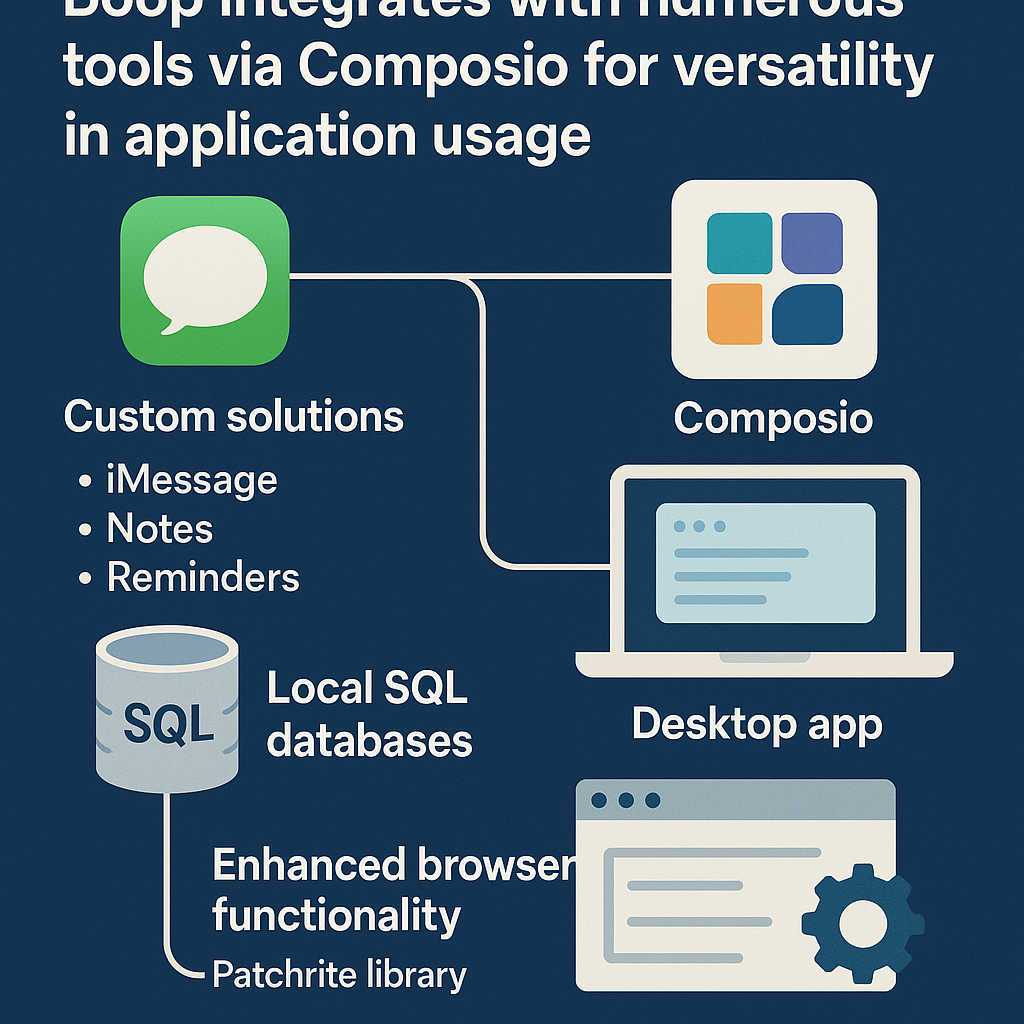
The strategy centers around creating an adaptable and secure AI environment that not only interacts smoothly with a wide range of tools via the Composio integration but also provides custom solutions for applications like iMessage, Apple Notes, and Apple Reminders where traditional API support is missing. This involves leveraging local databases and implementing real-time data management systems such as the Convex database to ensure quick access and updates. Moreover, enhancing browser functionality through integrations like Patchrite facilitates seamless interactions with web services, even those that are traditionally resistant to AI engagements.
How It Works (Step by Step)
Integrating with Existing Tools
Boop connects with hundreds of applications through the Composio integration, offering users extensive versatility in how they can utilize the AI agent with different apps.
Creating Custom Solutions
Due to the absence of official APIs, Boop required custom integrations with popular apps like iMessage, Apple Notes, and Apple Reminders, preventing any interruption in functionality.
Leveraging Local SQL Databases
The AI accesses local services by querying SQL databases stored on the user's device, necessitating full disk permission to function while respecting user privacy.
Developing a Desktop Application
A desktop app was created to streamline access to Boop, enabling users a more convenient platform through which to interact with the AI agent.
Enhanced Browser Functionality with Patchrite
To circumvent restrictions imposed by web services on AI interactions, Boop integrates Patchrite, allowing it access to sites like Instagram and LinkedIn, contingent on manual user authentications
Memory Management via Convex Database
Boop utilizes the Convex database for storing memory and browser sessions, ensuring real-time data updates that enhance overall system efficiency.
Human in the Loop Authentication
A manual authentication process ensures security and compliance when accessing sensitive web services, integral to the AI's operations.
Scheduled Tasks and Real-Time Updates
Tasks like scheduled email checks are handled by the Convex database, ensuring these functions are carried out smoothly and punctually.
Examples from the Source
A couple of months ago, I built an AI agent called Boop, which I open-sourced, and it quickly gained popularity. Thousands of people forked it, modified it, and created their own versions. Boop is an iMessage-based agent with a simple interface but a complex memory system behind the scenes, integrated with my tools.
Chris Raroque showcases Boop's capability by detailing its swift adoption and modifications by the community, highlighting its simplicity mixed with advanced back-end functionalities.
Common Pitfalls
- Overlooking custom solutions for apps without APIs can limit an AI agent's functionality.
- Underestimating the importance of user privacy can lead to security vulnerabilities.
- Neglecting the development of a user-friendly access platform, such as a desktop app, relegates an AI agent to 'just another tool.'
- Ignoring real-time data management can result in inefficiencies and frustration over slow responses.
Action Checklist
- Integrate AI with a wide range of tools using platforms like Composio.
- Develop custom solutions for popular apps that lack standard APIs.
- Utilize local SQL databases for secure data access, ensuring proper permissions are requested.
- Create a desktop application to provide a more robust interface for users.
- Implement browser enhancements with libraries like Patchrite for seamless web interaction.
- Adopt human in the loop processes for sensitive actions, guaranteeing security compliance.
- Choose databases like Convex for efficient memory management and real-time updates.
- Regularly update and monitor the AI agent's toolset to maintain versatility and effectiveness.
Watch the Full Video
Want more like this?
The full archive of strategy + AI articles lives at strategythread.app, curated weekly, no fluff.